
I still remember the day I hit rock bottom with my digital clutter – my inbox was overflowing, my desktop was a mess, and I felt like I was drowning in a sea of notifications. That’s when I realized that Digital Decluttering wasn’t just about cleaning up my digital life, but about reclaiming my sanity. The common myth that we need to be constantly connected and available is not only exhausting, but it’s also a major productivity killer. The truth is, we don’t have to be slaves to our devices, and with a few simple strategies, we can break free from the chaos and find some peace.
In this article, I’ll share my personal journey of digital transformation, from chaos to serenity, and provide you with practical tips on how to achieve the same. You’ll learn how to prioritize your tasks, simplify your digital workflows, and create a system that works for you, not against you. My goal is to help you achieve a state of flow, where you can focus on what matters most, without the constant distractions and stress that come with digital clutter. By the end of this article, you’ll have a clear plan to tackle your own digital clutter and start enjoying the benefits of a more streamlined, efficient, and peaceful digital life.
Table of Contents
Project Overview

Total Time: 1 hour 30 minutes
Estimated Cost: free – $10
Difficulty Level: Easy
Tools Required
- Computer ((with internet connection))
- Smartphone ((with access to digital accounts))
- Password Manager ((optional))
Supplies & Materials
- Notebook ((for tracking progress))
- Pencil ((for note-taking))
Step-by-Step Instructions
- 1. First, let’s start by assessing our digital landscape – take a few minutes to scroll through your phone, computer, and any other devices you use regularly. Notice the apps, files, and notifications that are competing for your attention. This is the starting point for our digital decluttering journey, and it’s essential to understand what we’re working with. As I always say, knowing is half the battle, and in this case, knowing what’s cluttering our digital space is crucial.
- 2. Next, unsubscribe from unnecessary emails – this is a simple yet powerful step in decluttering our digital lives. Take some time to go through your email inbox and unsubscribe from any newsletters, promotional emails, or spam that you no longer need or want. This will help reduce the amount of digital clutter that’s coming into your life on a daily basis. I like to use the 2-minute rule: if it takes less than 2 minutes to unsubscribe, do it immediately.
- 3. Now, let’s organize our computer files – this is an area where many of us tend to accumulate digital clutter. Take some time to go through your computer files and organize them into clear categories. Use folders, labels, and tags to make it easy to find what you need when you need it. I’m a big fan of the Pomodoro Technique, which involves working in focused 25-minute increments, followed by a 5-minute break – this can be a great way to stay focused and avoid burnout.
- 4. It’s time to streamline our social media – social media can be a significant source of digital clutter, with endless notifications, ads, and distractions competing for our attention. Take some time to review your social media accounts and remove any unnecessary notifications. Consider using website blockers or apps that help you stay focused on your goals. I like to use website blockers to limit my access to social media during certain hours of the day.
- 5. Next up, update our apps and software – outdated apps and software can be a source of digital clutter, with unnecessary updates and notifications competing for our attention. Take some time to update your apps and software to the latest versions. This will help ensure that you have the latest features and security patches, and it will also help reduce the amount of digital clutter in your life. I’m a big fan of scheduling regular updates, so I don’t have to think about it – it’s just part of my routine.
- 6. Now, let’s implement a digital filing system – this is a crucial step in maintaining a clutter-free digital life. Consider using cloud storage services like Google Drive, Dropbox, or OneDrive to store your files. Use clear and descriptive file names, and organize your files into folders and categories. I like to use clear and consistent naming conventions to make it easy to find what I need.
- 7. Finally, schedule regular digital decluttering sessions – digital clutter can quickly build up if we’re not careful, so it’s essential to schedule regular sessions to maintain our digital space. Set a reminder on your calendar to review your digital life on a regular basis – whether it’s weekly, monthly, or quarterly. Use this time to review your apps, files, and notifications, and make any necessary adjustments to keep your digital life clutter-free. I like to use the 80/20 rule to guide my decluttering sessions – 80% of the time, I focus on the 20% of my digital life that’s causing the most clutter and stress.
Digital Decluttering Simplified

As I delved deeper into streamlining digital workflows, I realized that it’s not just about deleting files and unsubscribing from services. It’s about creating a system that allows you to focus on what’s truly important. For me, that meant organizing computer files efficiently, so I can quickly find what I need without wasting hours searching for it. By implementing a simple folder structure and using clear labels, I was able to reduce my stress levels and free up more time for creative pursuits, like designing intricate origami models.
One of the most effective ways to simplify your digital life is by managing digital subscriptions. Take a close look at your monthly subscriptions and cancel any that you don’t use regularly. This will not only save you money but also reduce the amount of digital clutter you have to deal with. I also recommend setting up a cloud storage system to keep all your files in one place, making it easier to access and share them.
By implementing these strategies, you’ll be able to create a more peaceful digital environment that allows you to stay focused on your goals. Remember to create a digital to-do list to help you stay on track and prioritize your tasks. With a clear plan and a simplified digital workflow, you’ll be able to achieve more without feeling overwhelmed.
Organizing Computer Files With Mindful Intent
As I sit amidst my origami creations, I’m reminded that clarity begins with our digital foundations. Organizing computer files is a therapeutic process that sets the tone for a more streamlined workflow. I start by categorizing files into broad folders, then gradually narrow them down into more specific subfolders. This mindful approach helps me stay focused on the task at hand.
As I dove deeper into streamlining my digital life, I realized that having the right tools at my disposal was crucial. One of the most significant breakthroughs for me was discovering a platform that allowed me to seamlessly manage my contacts and communications – it was like a breath of fresh air for my inbox. I highly recommend checking out Contactos Slumis for a more integrated approach to your digital organization, it’s been a game-changer for me in terms of keeping my workflows tidy and my focus sharp. By implementing a few simple yet effective strategies, and leveraging the right resources, you can start to experience the joy of a clutter-free digital space, and that’s a truly liberating feeling.
By doing so, I’ve found that I can quickly locate the resources I need, reducing stress and saving time. It’s amazing how a simple file organization system can have a profound impact on our productivity and peace of mind. With a clear digital landscape, I can channel my energy into more creative pursuits, like crafting intricate origami designs that inspire my clients to adopt a more mindful approach to their work.
Streamlining Digital Workflows for Peace
As I delved into digital decluttering, I realized that streamlining my workflows was key to maintaining a sense of peace. By automating repetitive tasks and simplifying my digital tools, I freed up mental energy to focus on what truly mattered. I began to use project management apps to organize my tasks, and implemented a “touch once” policy for emails, where I dealt with each message immediately or delegated it to a designated folder.
This approach has been a game-changer for my productivity and stress levels. By streamlining my digital workflows, I’ve reduced the feeling of overwhelm and increased my sense of control. I can now tackle complex tasks with clarity and precision, knowing that my digital landscape is organized and efficient.
5 Essential Tips to Breathe Life into Your Digital Space
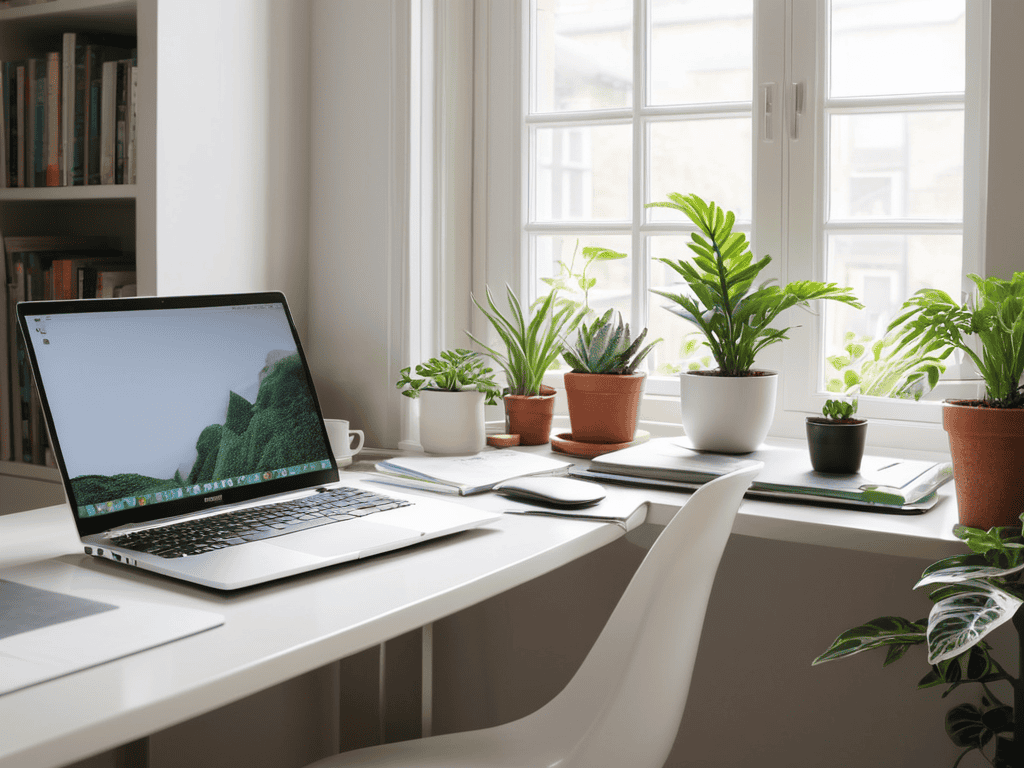
- Set a weekly digital detox hour, where you intentionally disconnect from all devices to recharge and refocus
- Implement a ‘one in, one out’ policy for digital tools and subscriptions to avoid clutter and minimize decision fatigue
- Use the ‘2-minute rule’ when organizing computer files: if a task can be done in less than 2 minutes, do it immediately, like renaming a file or deleting a duplicate
- Create a ‘someday’ folder for ideas and inspiration that don’t have a deadline, to keep your main inbox and task list clutter-free and focused on high-priority tasks
- Schedule regular ‘digital dusting’ sessions, where you review and update your password manager, clean out unused apps, and ensure all software is up-to-date
Key Takeaways for a Clutter-Free Digital Life
I’ve learned that digital decluttering is not just about deleting files, but about creating a mindful approach to how we interact with our devices and digital tools, freeing up space for what truly matters
By streamlining our digital workflows and organizing our computer files with intent, we can significantly reduce stress and increase productivity, allowing us to achieve more without burning out
Through my own journey and work with clients, I’ve seen how implementing simple yet effective digital decluttering strategies can lead to a profound sense of clarity and focus, enabling us to pursue our goals with renewed energy and purpose
A Digital Awakening
As we clear the digital clutter, we’re not just freeing up space, we’re freeing up our minds to breathe, to dream, and to create – and that’s where the true magic of productivity begins.
Avery Mitchell
Conclusion
As we conclude our journey through digital decluttering, let’s recap the key takeaways: we’ve learned to streamline our digital workflows by eliminating unnecessary tasks, organized our computer files with mindful intent, and discovered the importance of maintaining a clutter-free inbox. By implementing these strategies, you’ll be well on your way to achieving a more serene digital landscape, allowing you to focus on what truly matters. Remember, digital decluttering is a process, and it’s essential to be patient and compassionate with yourself as you work through it.
As you embark on your digital decluttering journey, I want to leave you with a final thought: embracing simplicity is not just about tidying up your digital space, but also about creating room for growth, creativity, and mindful productivity. By letting go of digital clutter, you’re not only freeing up physical storage space, but also mental energy. So, take a deep breath, stay committed, and watch your digital life transform into a haven of clarity and focus.
Frequently Asked Questions
How do I decide what digital files to keep and what to delete without feeling overwhelmed?
For me, it’s all about the 1-year rule: if I haven’t used or referenced a digital file in a year, it’s probably safe to delete. I also ask myself, ‘Does this file spark joy or serve a purpose?’ If not, it’s gone!
What are some effective strategies for avoiding digital clutter in the future after I've completed the decluttering process?
To avoid future digital clutter, I recommend setting aside time each week for maintenance, like a ‘digital detox hour’. Implementing habits like regular email inbox cleanups and using cloud storage with clear folder systems can also help. I’ve found that scheduling these tasks in my calendar keeps me on track and ensures my digital space remains organized and clutter-free.
Can digital decluttering really improve my mental clarity and focus, and if so, how long does it typically take to notice a significant difference?
I’ve seen it firsthand – digital decluttering can be a game-changer for mental clarity and focus. For most people, it takes around 2-4 weeks of consistent effort to notice a significant difference, but trust me, it’s worth it. By simplifying your digital landscape, you’ll be amazed at how much more focused and calm you’ll feel, ready to tackle your day with renewed energy and purpose.