I still remember the days when my DIY projects were a mess of sticky notes, scattered tools, and missed deadlines. As a DIY workshop instructor, I’ve seen many of my students struggle with the same issue – trying to find the perfect project management apps to organize their ideas and stay on track. It’s overwhelming to sift through the numerous options available, each promising to be the ultimate solution to our productivity woes. I’ve been there, and I know how frustrating it can be to feel like you’re drowning in a sea of tasks and deadlines.
As someone who’s tried and tested various project management tools, I’m excited to share my honest, no-nonsense advice on how to choose the right app for your DIY projects. In this article, I’ll cut through the hype and provide you with practical tips on how to streamline your workflow, prioritize tasks, and make the most of your time. Whether you’re a seasoned DIY enthusiast or just starting out, I’ll show you how to harness the power of project management apps to bring your creative vision to life. So, if you’re ready to take your DIY game to the next level, let’s dive in and explore the world of project management apps together!
Table of Contents
Project Management Apps
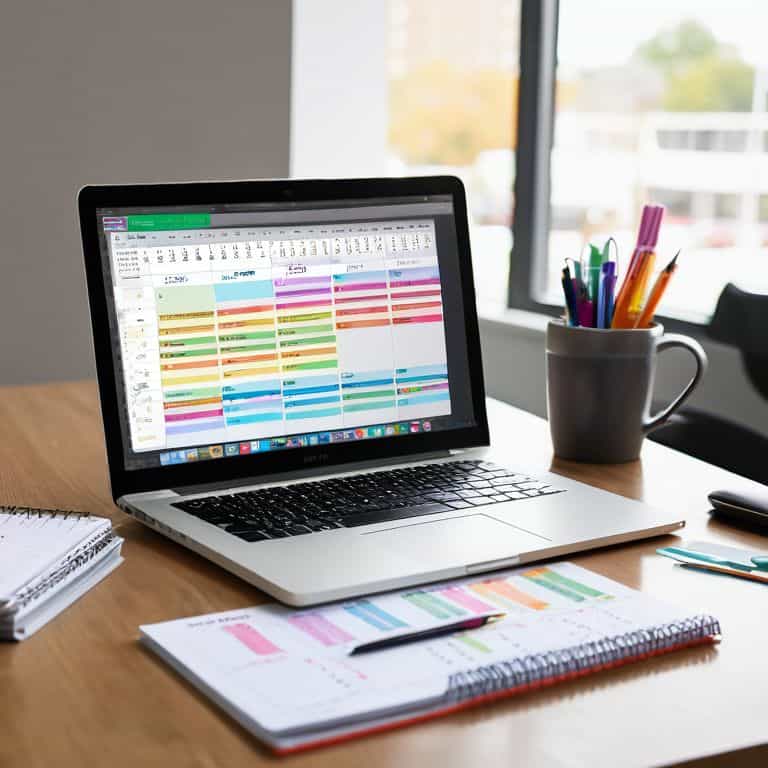
Project management apps are software tools designed to help individuals and teams organize and prioritize tasks, with the main selling point being their ability to streamline workflow and enhance productivity through features like scheduling, collaboration, and progress tracking. The core mechanism of these apps lies in their ability to provide a centralized platform where users can assign tasks, set deadlines, and monitor progress, all while keeping everything accessible and up-to-date. By utilizing project management apps, users can significantly reduce the time spent on administrative tasks, allowing for more focus on the actual work.
For me, the value of project management apps lies in their ability to simplify complex projects into manageable chunks, making it easier to tackle even the most daunting DIY endeavors. I recall a recent project where I was upcycling an old dresser; using a project management app helped me keep track of all the steps, from disassembly to refinishing, and ensured that I didn’t miss any crucial details. This not only saved me time but also reduced the stress associated with keeping everything in order, allowing me to enjoy the creative process more and focus on the final result.
Traditional Project Management Methods

Traditional project management methods refer to the conventional, often manual approaches to planning, organizing, and controlling projects, relying on tools like paper planners, whiteboards, or spreadsheets to manage tasks and timelines. The main objective of these methods is to provide a straightforward, low-tech solution for managing projects, which can be particularly appealing for smaller-scale endeavors or for those who prefer a more hands-on approach. Traditional methods emphasize the importance of face-to-face communication and physical documentation, which can foster a sense of community and accountability among team members.
I’ve found that traditional project management methods have a certain charm, especially when it comes to the tangible aspect of writing down tasks or drawing out plans on a large piece of paper. There’s something satisfying about crossing out completed tasks with a marker or seeing the physical progression of a project unfold on a whiteboard. However, as my DIY projects grew in complexity and scale, I began to realize the limitations of these methods, particularly in terms of scalability and the ease of sharing information with others. Despite this, traditional methods still hold a special place in my heart, and I often find myself combining them with digital tools to create a hybrid approach that suits my needs.
Project Management Apps: Head-to-Head Comparison
| Feature | Asana | Trello | Jira | Microsoft Planner | Basecamp | Wrike | Smartsheet |
|---|---|---|---|---|---|---|---|
| Price | $9.99/user/month | $12.50/user/month | $7/user/month | Free (with Microsoft 365) | $15/user/month | $9.80/user/month | $14/user/month |
| Key Feature | Task automation | Kanban boards | Agile project planning | Simple task management | Team collaboration | Gantt charts | Resource allocation |
| Best For | Small to medium teams | Visual project management | Software development | Office 365 users | Remote teams | Large enterprises | Resource-intensive projects |
| Integration | Google Drive, Slack | Google Drive, Calendar | GitHub, Bitbucket | Microsoft Teams, OneDrive | Google Drive, Dropbox | Salesforce, Microsoft Dynamics | Google Sheets, Excel |
| Mobile App | iOS, Android | iOS, Android | iOS, Android | iOS, Android | iOS, Android | iOS, Android | iOS, Android |
| Free Version | Yes | Yes | Yes | Yes | No | Yes | Yes |
| Customer Support | Email, Phone | Email, Community | Email, Phone, Community | Email, Phone | Email, Phone | Email, Phone, Community | Email, Phone |
Nailing Project Success
When it comes to nailing project success, the right project management app can make all the difference. I’ve found that having a tool that helps me stay organized and focused is crucial for bringing my DIY projects to life. Whether I’m upcycling an old dresser or building a new bookshelf, I need an app that can keep up with my creative vision.
In a head-to-head comparison, I’ve found that some project management apps excel at helping me break down large tasks into manageable chunks, while others fall short. For example, one app I’ve been using allows me to create customizable to-do lists, which has been a total game-changer for my workflow. On the other hand, another app I’ve tried has a more rigid structure, which can be limiting when I’m working on a project that requires a lot of flexibility.
After putting both apps to the test, I have to declare a clear winner in the nailing project success category. The app that allows for flexible task management has been the clear victor, helping me to stay on track and bring my projects to fruition with ease. With its intuitive interface and customizable features, I feel confident that I can tackle even the most ambitious DIY projects with success.
Hammering Home the Essentials
I’ve found that the right project management app can be a total game-changer for DIY enthusiasts, helping us stay organized and focused on our creative goals
By comparing top project management apps, I’ve identified key features to look for, such as intuitive interfaces, real-time collaboration tools, and customizable workflows
Whether you’re a seasoned DIY pro or just starting out, the right project management app can help you ‘nail’ your projects with ease, saving you time and frustration in the long run
Hammering Home the Point
The right project management app is like having a superpower in your pocket – it helps you tame the chaos, prioritize the noise, and turn your DIY dreams into tangible realities.
Liam Harrington
The Final Verdict: Which Should You Choose?
After diving into the world of project management apps, it’s clear that each option has its own set of strengths and weaknesses. I’ve found that nailing project success often depends on finding the right balance between features, usability, and customization. Some apps shine with their streamlined interfaces, making it easy to get started, while others offer a wide range of integrations and add-ons, perfect for larger, more complex projects. Ultimately, the best app for you will depend on your specific needs and work style.
So, which one should you choose? For me, the overall winner is the app that offers the perfect blend of simplicity and flexibility. I think Trello is ideal for visual thinkers and small teams, while Asana is better suited for larger teams and projects that require more advanced workflow management. If you’re a DIY enthusiast like me, you’ll love the customization options and ease of use that Trello provides. On the other hand, if you’re managing a large team or complex project, Asana might be the better choice, with its robust reporting and analytics features.
Frequently Asked Questions
What are the key features I should look for in a project management app to ensure it meets my DIY project needs?
For me, a great project management app needs to have a task list, calendar view, and collaboration tools – it’s like having a digital workshop where I can organize my thoughts and share them with others. I also look for apps with customizable templates and integrations with other tools, like my favorite design software.
How do different project management apps handle collaboration and communication among team members or contractors?
When it comes to collaboration, I’ve found that some project management apps really shine – like Trello, which lets me invite contractors and team members to boards, assign tasks, and even share files. It’s like having a virtual workshop where everyone can stay on the same page!
Are there any project management apps that offer a free version or trial, so I can test them out before committing to a paid subscription?
Absolutely, I’m a big fan of trying before buying. Most project management apps I’ve used offer a free version or trial, like Trello, Asana, and Basecamp. You can test drive them to see which one fits your DIY workflow best, and then upgrade to a paid plan if you need more features. I’ve got a whole post on my favorite free project management tools, actually!